ENG
ENG VIE
VIE +84 9323 494 34


24 ways to use AI to improve your SEO
 May 16, 2026
  Uyen Mac
 Updated on October 19, 2026: figures reviewed and updated.
If you work in SEO, you have probably started to feel overwhelmed by the sheer number of AI SEO tools on the market right now. It is hard to tell which of them actually solve the problems you run into in day-to-day SEO work.
That is why this article pulls together a list of AI tools that SEO practitioners have used themselves and picked carefully to make the SEO process more efficient. Whether you are looking for no-code tools, SEO automation or AI that simply helps you get more done, the list below should give you options worth adding to your daily workflow.
AI SEO tools for search and content research
1. Moz AI: better keyword research with search intent analysis
Chima Mmeje has described Moz AI as a very useful tool for keyword research and for analyzing what users intend when they search. The tool identifies the keywords a website already ranks for and analyzes the search intent behind each query. That makes it easier to build a content strategy that stays close to what users actually need.
What sets Moz AI apart is its fairly unusual two-layer model for analyzing search intent. The first layer uses a machine learning model trained on search intent data. The second is a rule-based system built on years of research and experience with Google’s SERP signals. Combining the two makes intent classification more accurate and more useful in practice.
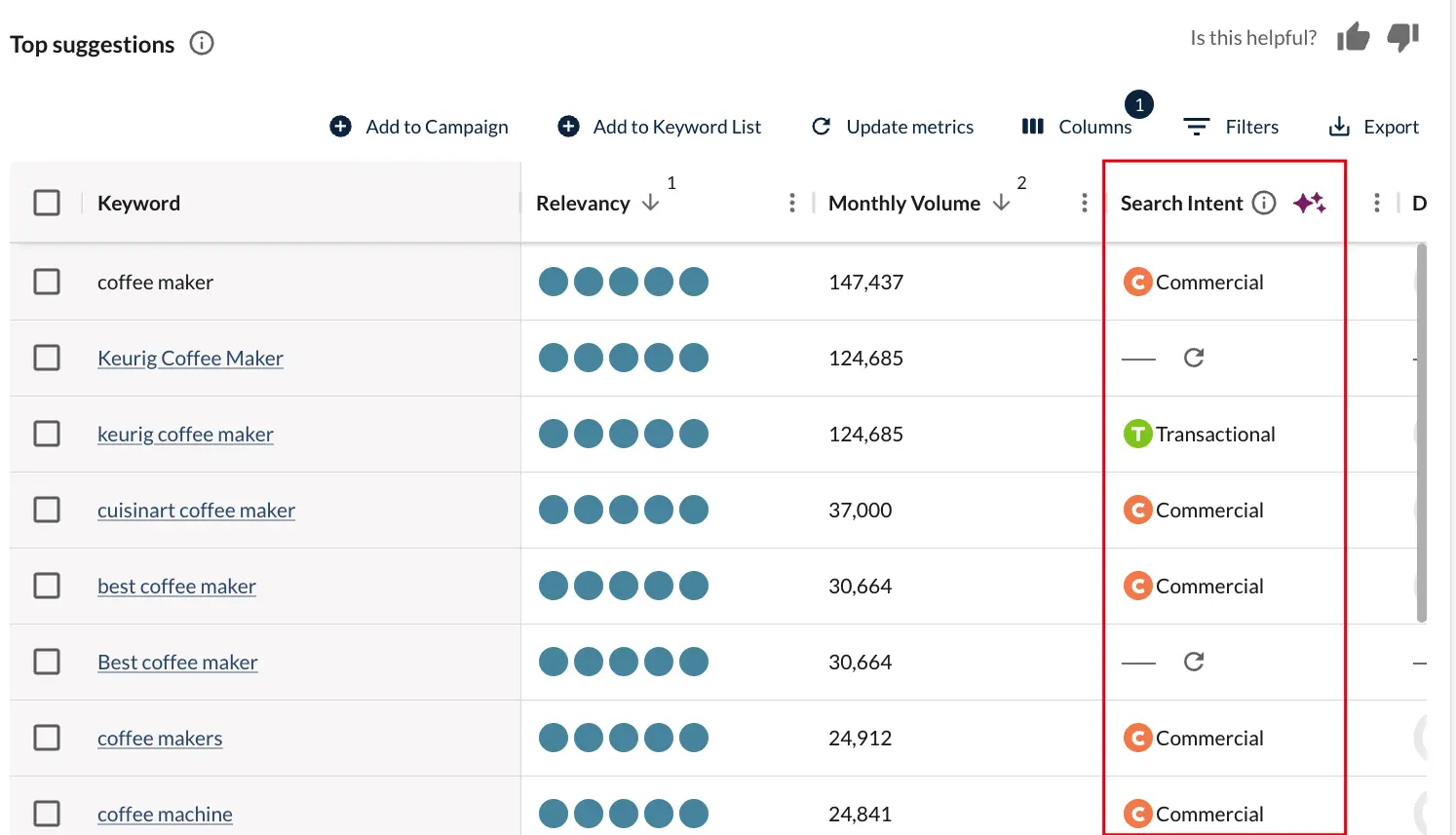
Here is how Chima uses Moz AI in her SEO process:
- AI search intent analysis: The intent classification feature in Moz AI’s Keyword Explorer automatically sorts keywords into 4 main groups: Informational (looking for information), Navigational (trying to reach a specific site), Commercial (researching before a purchase) and Transactional (ready to convert or buy). With that, Chima can see which stage of the search journey a user is in and build content that matches what they need at that point.
- Domain Search Theme & Keyword Topics: Moz AI’s Domain Overview tool gives a high-level view of a website’s “Search Theme,” which helps you understand how Google recognizes and evaluates that domain. The tool also groups the site’s keyword set into up to 5 main topics (Domain Keyword Topics), so marketers can quickly see which content areas carry the most weight. This is a useful source of insight when you analyze competitors or build an SEO content strategy, because it shows which topics deserve investment first.
2. SparkToro: building customer personas grounded in real insight
When you build detailed customer personas, combining ChatGPT with data from SparkToro gives you a fuller picture of your audience. SparkToro provides valuable insight such as demographics, online behavior and how active people are on social media. That data is then fed into ChatGPT to produce detailed personas that a team can actually use.
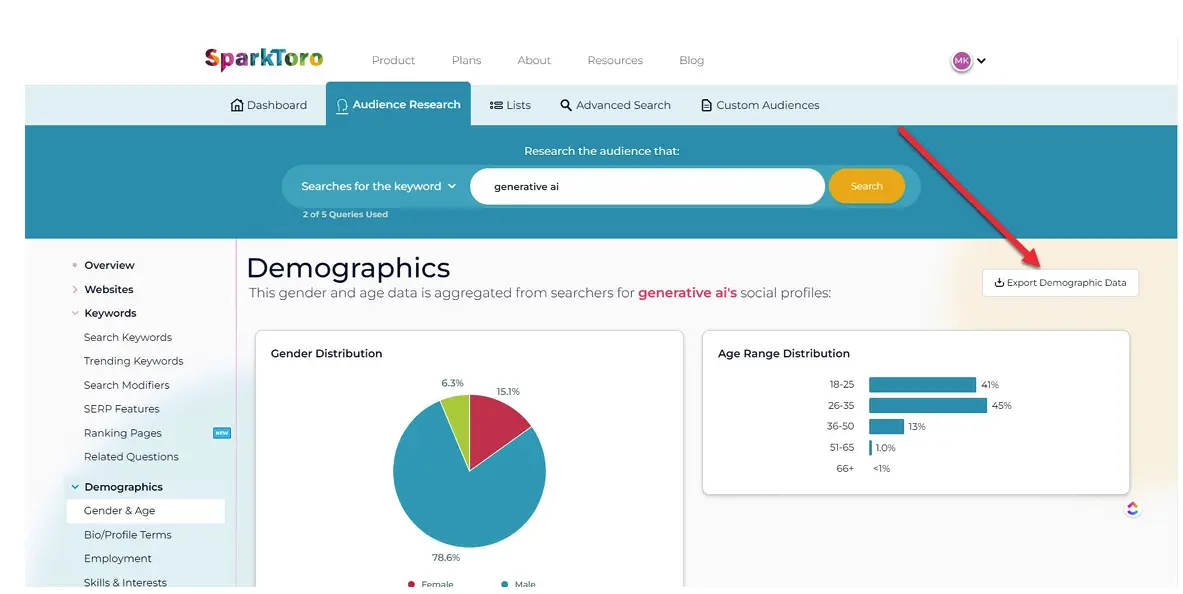
Here is how SparkToro and ChatGPT work together:
- Feed in audience data: Use SparkToro insights such as interests, the platforms people use most and how they engage as the input for ChatGPT.
- Generate the persona: ChatGPT builds a customer profile that covers motivations, pain points and the communication style that fits.
- Refine the strategy: The persona helps you tune your content and SEO strategy so it sits closer to the real needs and behavior of your target audience.
3. Competely: a tool for analyzing competitor strategy
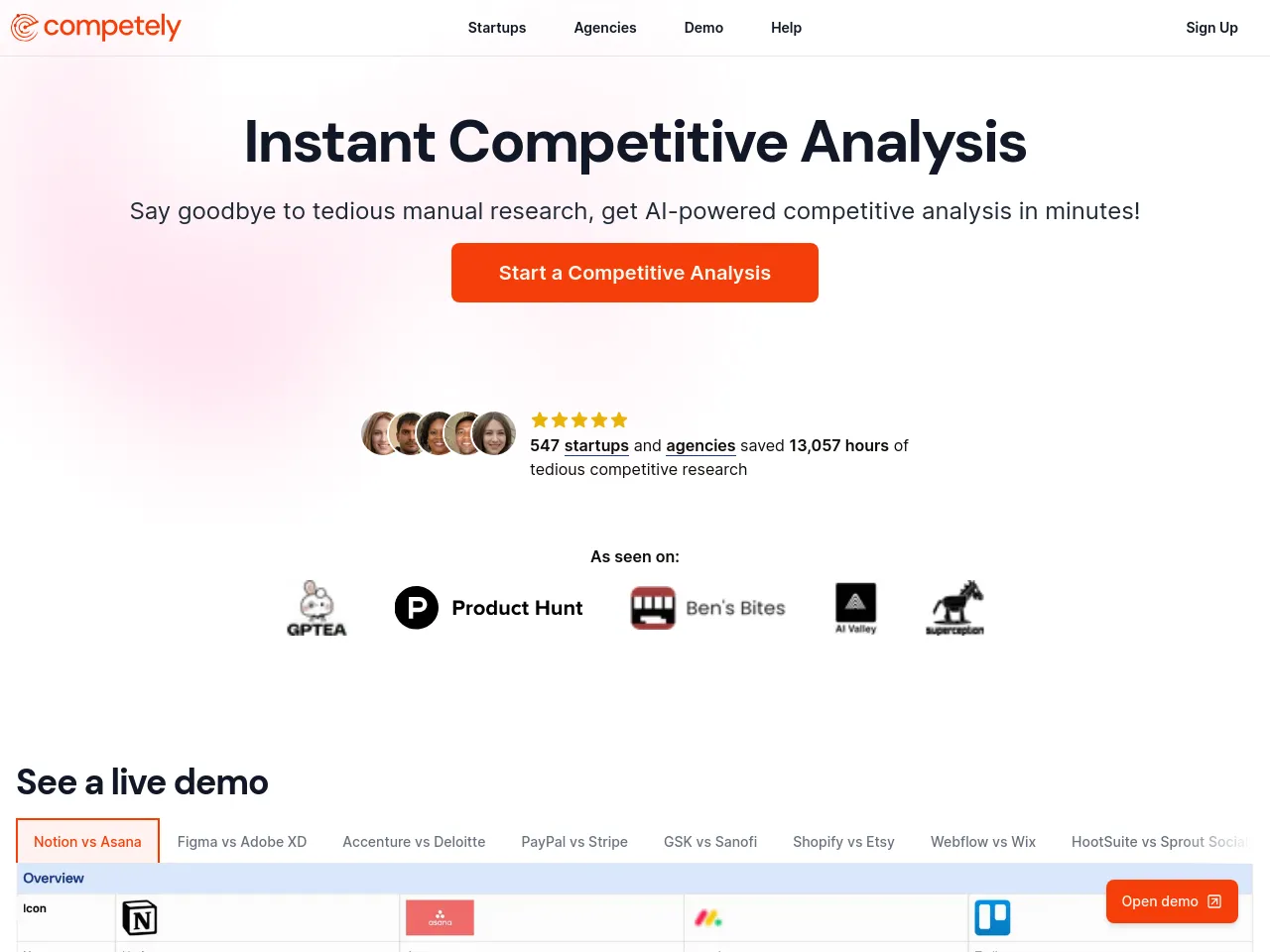
In SEO and marketing, understanding how competitors build their products and engage with customers is a big part of gaining a competitive edge. Competely supports competitor analysis at a high level, focusing on products, brand positioning and user feedback.
How Competely is used in competitive research:
- Analyze competitor products: The tool helps you assess how competitors position their products in the market, so you can spot the strengths and weaknesses of their current strategy.
- Track audience sentiment: Competely analyzes how users respond to and behave around competitor products, which gives you a clearer understanding of customer needs, pain points and expectations.
- Uncover marketing strategy: The tool gives an overview of how competitors run their marketing and build engagement with their audience, which helps you adjust your own strategy to fit.
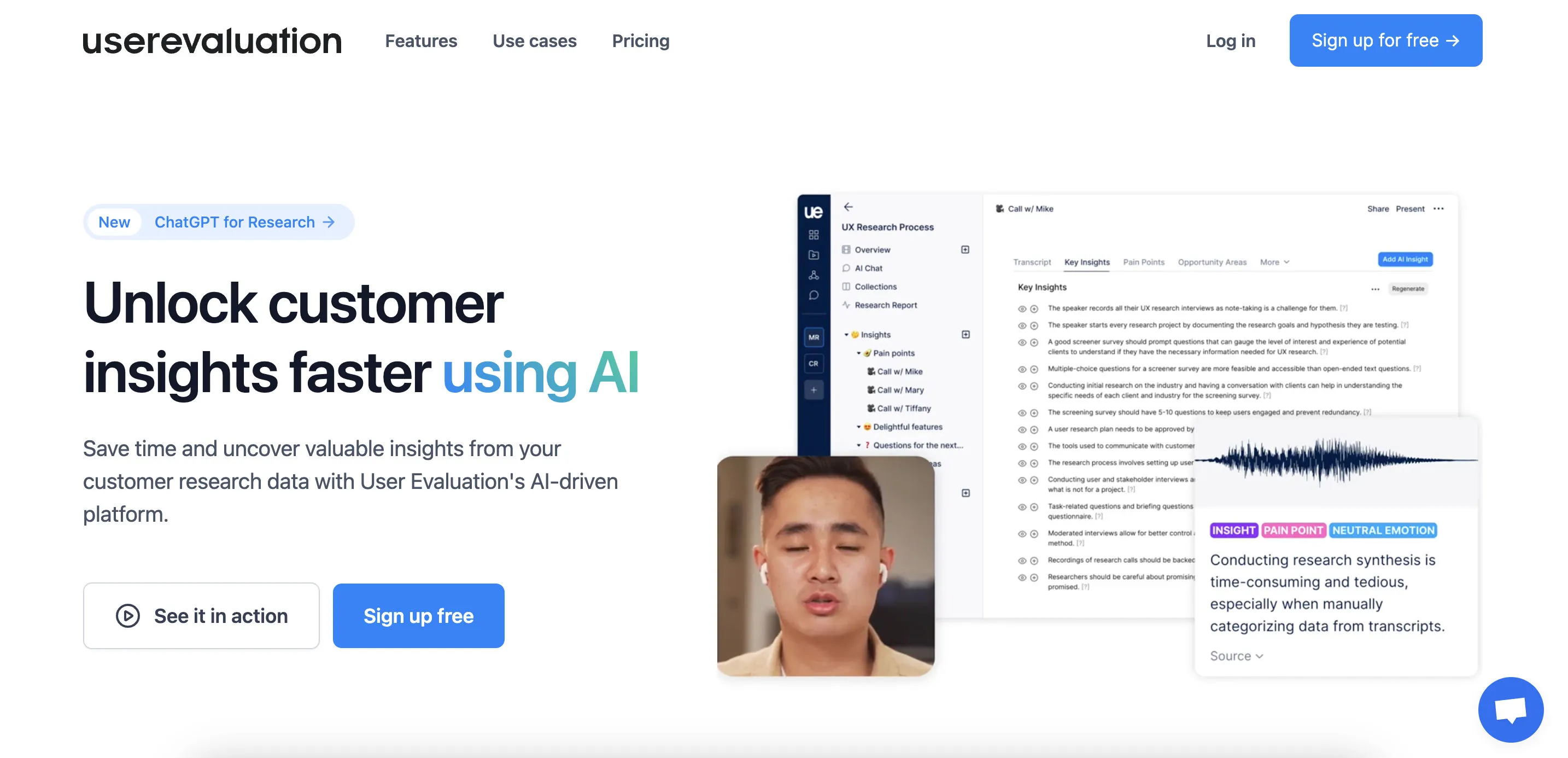
4. userevaluation: user research through AI interviews
Understanding how people interact with your website matters for both UX and SEO results. userevaluation is now an AI user research platform: AI interviews real, pre-screened customers and then compiles the findings into a report, and every finding in the report links back to an audio clip as evidence. This helps you understand why users leave or where they get stuck (userevaluation, October 2026).
Some of the advantages userevaluation offers:
- AI user interviews: The AI runs voice interviews with screened participants and asks its own follow-up questions after each answer. You can also send an invitation link to your website’s own users so they can take part.
- Find friction points: The Swarm feature lets AI agents create accounts and try out a live product over several weeks. Each session is recorded and flags where the agent ran into problems, and real people then confirm the important findings.
- Evidence-backed reports: Interview recordings, trial sessions and uploaded documents are gathered in one place. The report only makes a claim when there is an audio clip to back it up, and it can be exported to PowerPoint, Word or PDF.
- Uses for SEO and UX: The reasons users leave a page or fail to convert, heard in their own words, become the input for fixing content, CTAs and layout. This tool complements heatmaps and session recordings (such as uxsniff in item 5). It does not replace them.
5. uxsniff: AI analysis of user behavior
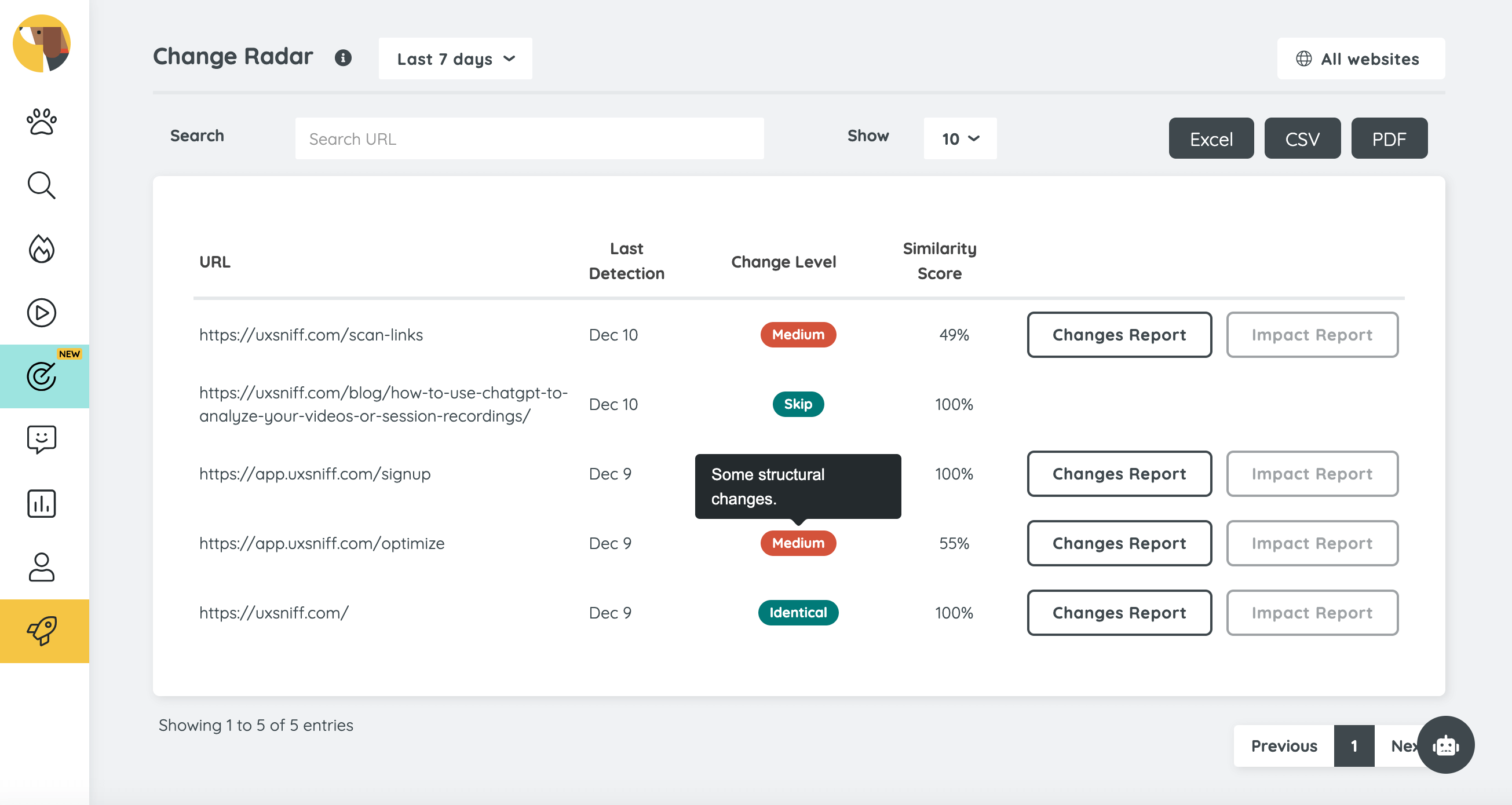
uxsniff is seen as an alternative to Hotjar that uses AI to analyze how people behave on a website. The tool combines heatmaps, session recording and AI analytics to help you improve the user experience and, with it, your SEO performance.
How uxsniff helps you improve a website:
- Heatmaps and session recording: Track where users click most, how long they stay on a page and how they move around the site during a visit.
- AI insights: The AI automatically identifies the spots that get in the way of the experience and the areas with high engagement, which saves the time you would spend analyzing data by hand.
- Spot usability problems: AI reports help you quickly find the reasons users leave a page or engage less, so you can fix them in time.
- Improve conversions: uxsniff helps you find the pages or sections with the highest conversion rates, so you can copy the patterns that work to other parts of the website.
Using AI with custom JavaScript and APIs
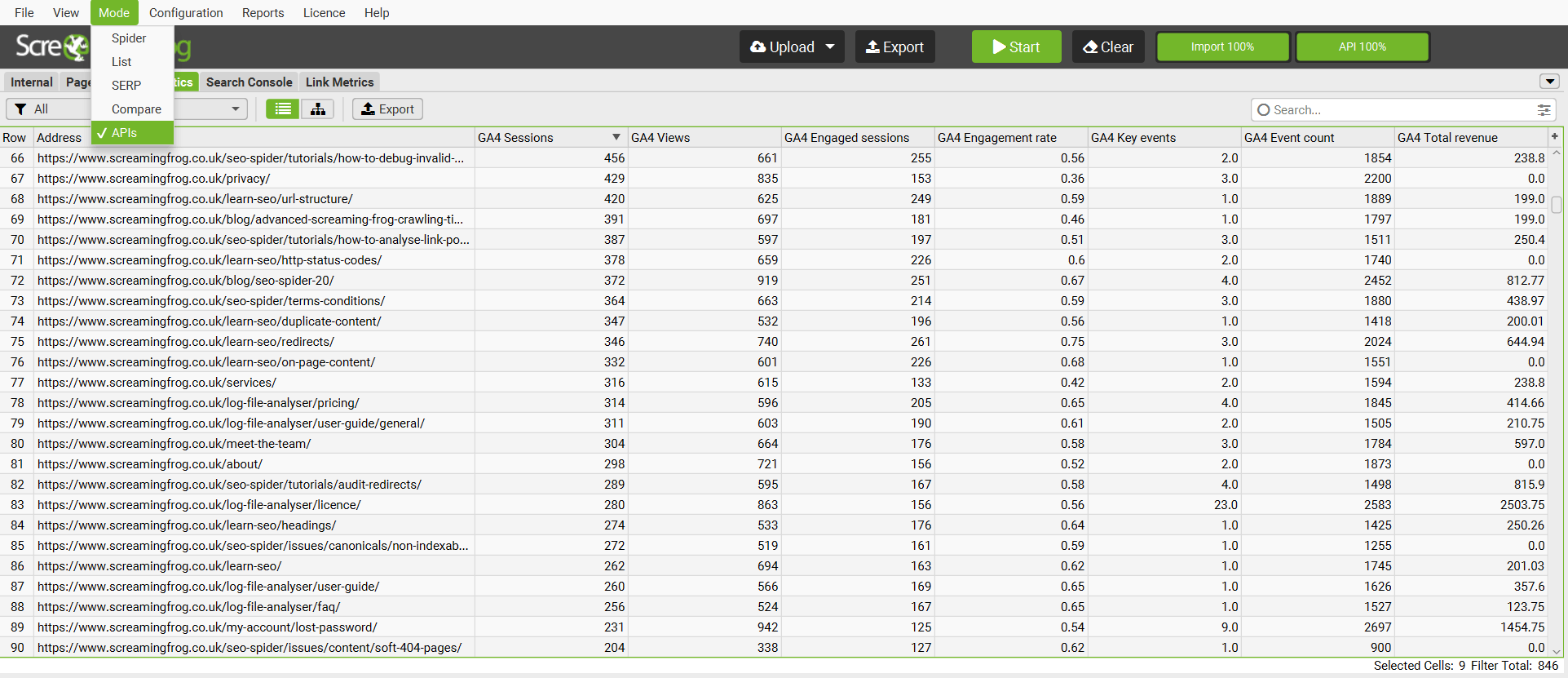
6. Combining Screaming Frog SEO Spider with custom JavaScript to bring in LLMs
For more advanced SEO work, Screaming Frog SEO Spider can be combined with custom JavaScript and vector embeddings to support content analysis, internal link optimization and keyword relevance scoring with machine learning.
The setup includes:
- Create vector embeddings: Use custom JavaScript to extract the content of each page and create vector embeddings (which turn complex data into sequences of numbers), so you can measure how semantically similar pages are to each other.
- Improve internal linking: Analyzing the embeddings reveals pages that are related but not yet linked to each other, so you can improve your internal link structure and spread SEO authority more effectively.
- Automate keyword mapping: AI helps assign keywords to the pages with the highest semantic relevance, which improves each page’s chances of ranking for its query.
- Analyze content gaps: Vector embeddings also help you find missing topics or content, so you can widen your coverage and sharpen your content strategy.
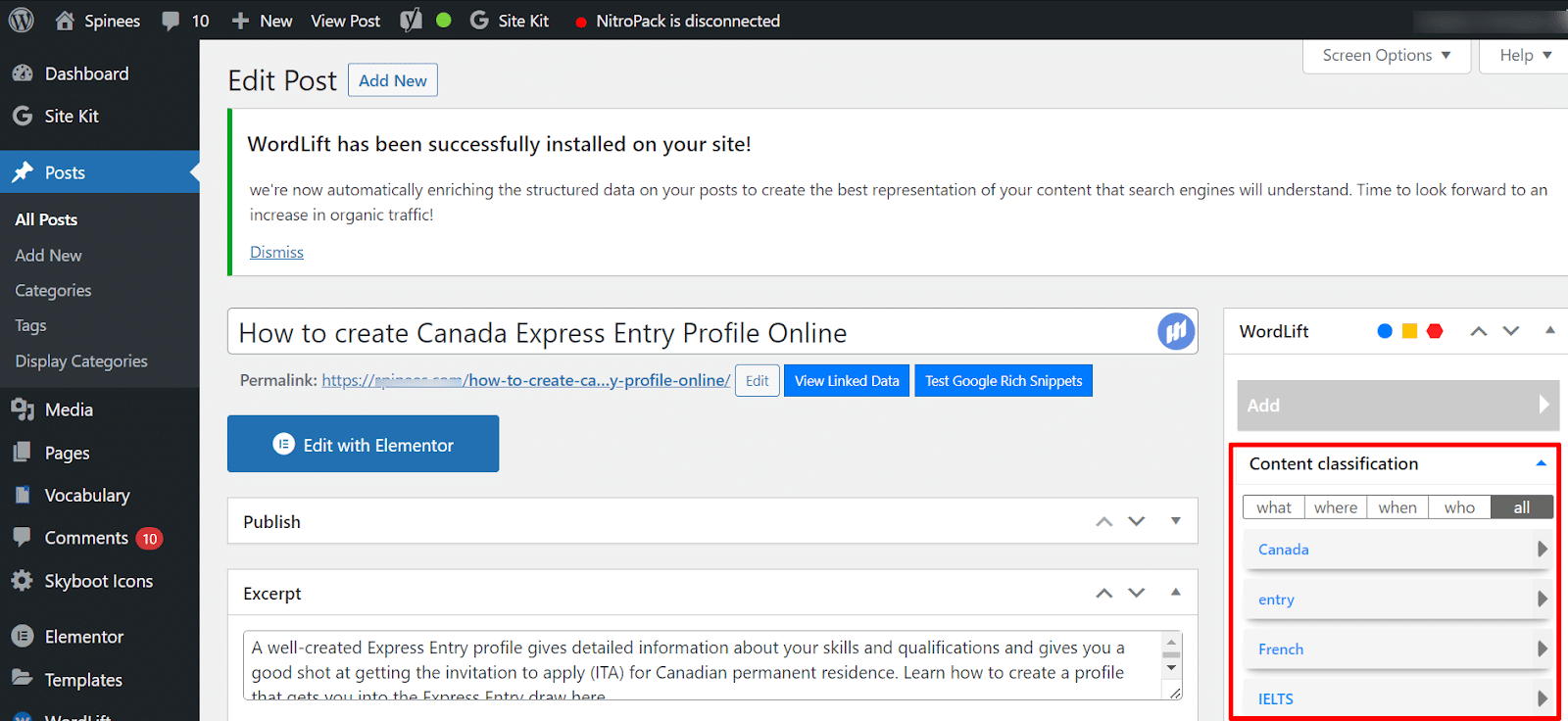
7. WordLift Fact-Checking API
One of the biggest problems with AI-generated content is the risk of inaccurate information or “hallucinations,” where the model makes things up. WordLift tackles this with a fact-checking API that makes AI-generated content more reliable and more accurate.
WordLift checks the accuracy of AI content. Content produced by AI is run through WordLift’s API to catch inaccurate or inconsistent information before it is published on the website.
AI tools for content work
8. BERTopic: clustering topics and keywords with AI
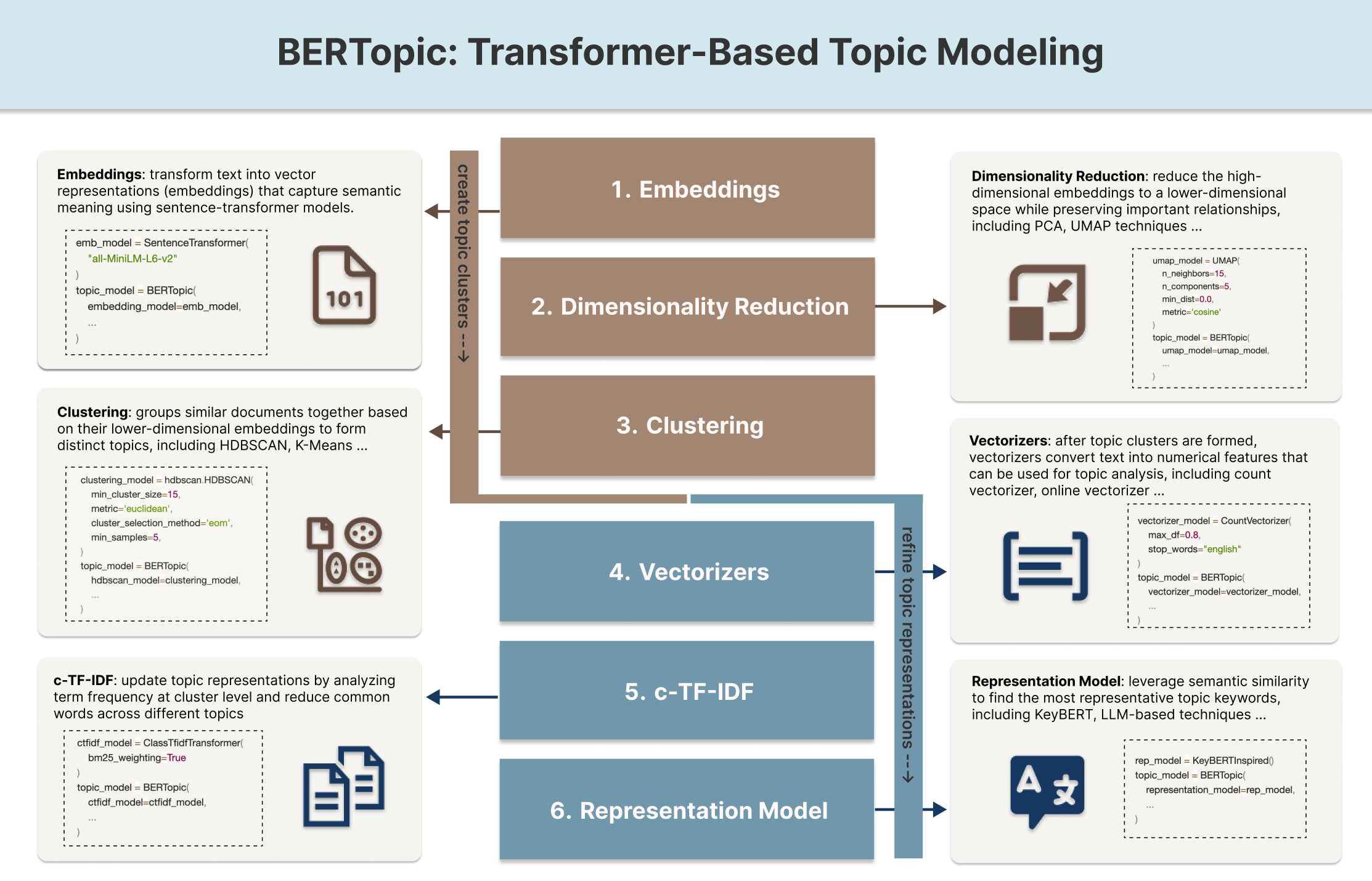
Building topical clusters matters in SEO because it gives a website a clear content structure and builds topical authority. BERTopic uses AI to automatically group keywords and content into related topics, which makes it easier to build an effective content strategy.
How BERTopic is used:
- Group keywords: The tool automatically gathers related keywords into topic clusters that you can use for SEO planning.
- Match search intent: Topic clusters help you steer content closer to what users are actually trying to find.
- Manage content at scale: BERTopic cuts a lot of the time spent sorting content by hand, which is especially useful for websites with many pages.
9. Content Codex: drafting a content strategy with AI
Planning a content strategy usually takes a lot of time, but Content Codex uses AI to simplify the process. The tool combines data analysis, keyword research and content suggestions to produce recommendations for your marketing strategy.
How Content Codex supports content marketing:
- Generate content strategy suggestions: AI builds a content plan based on user insight, keyword data and industry trends.
- Keyword research: It suggests suitable keywords and how to approach the content so it performs well in search.
- Build content groups: It helps you create content clusters and plan internal linking to strengthen the website’s topical authority.
How to use ChatGPT for SEO
10. Writing meta descriptions with ChatGPT
Writing meta descriptions for a large number of articles can take a lot of time. ChatGPT helps you generate SEO-friendly descriptions much faster.
How to use ChatGPT for meta descriptions:
- Generate meta descriptions based on the main keyword or topic of the page.
- Make sure the copy reads naturally, matches the user’s search intent and encourages more clicks (CTR).
- Keep descriptions consistent in style across the whole website.
11. Adding keywords naturally with ChatGPT
ChatGPT can help you work keywords into your content naturally, without making the sentences sound forced.
How to use ChatGPT for keyword placement:
- Find suitable places in the text to add keywords automatically.
- Adjust the sentences so the copy keeps its readability and still reads well.
- Cut down the time spent optimizing content by hand.
12. Adding internal and external links with ChatGPT
Adding links to a long article is usually manual, time-consuming work. ChatGPT can help you identify the right spots for internal or external links based on the context of the content.
Common uses:
- Suggest suitable anchor text.
- Find the most natural place in the text to insert each link.
- Help improve the overall internal linking structure.
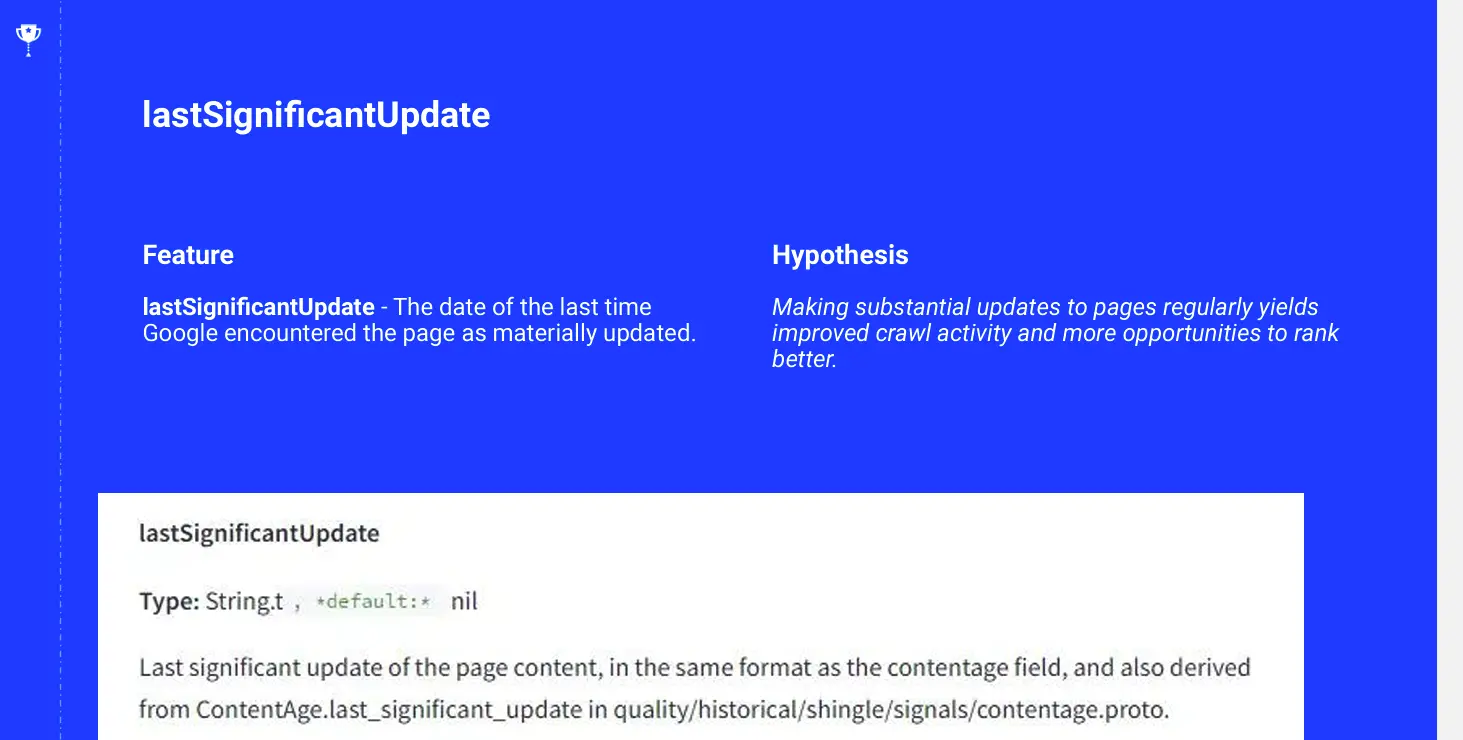
13. Writing a TL;DR for updated articles
When an article has been substantially updated, you can use ChatGPT to quickly draft a TL;DR that sums up what is new for readers. Keep in mind that Google advises against changing dates or adding and removing content just to make a page look “fresh” when the content has not changed in any meaningful way (Google Search Central).
How to use it:
- Create a short summary of the newly updated content.
- Help returning readers see right away which parts have changed.
- Use it only when the article has real changes, never as a way to make the article look new.
14. Writing content briefs with ChatGPT
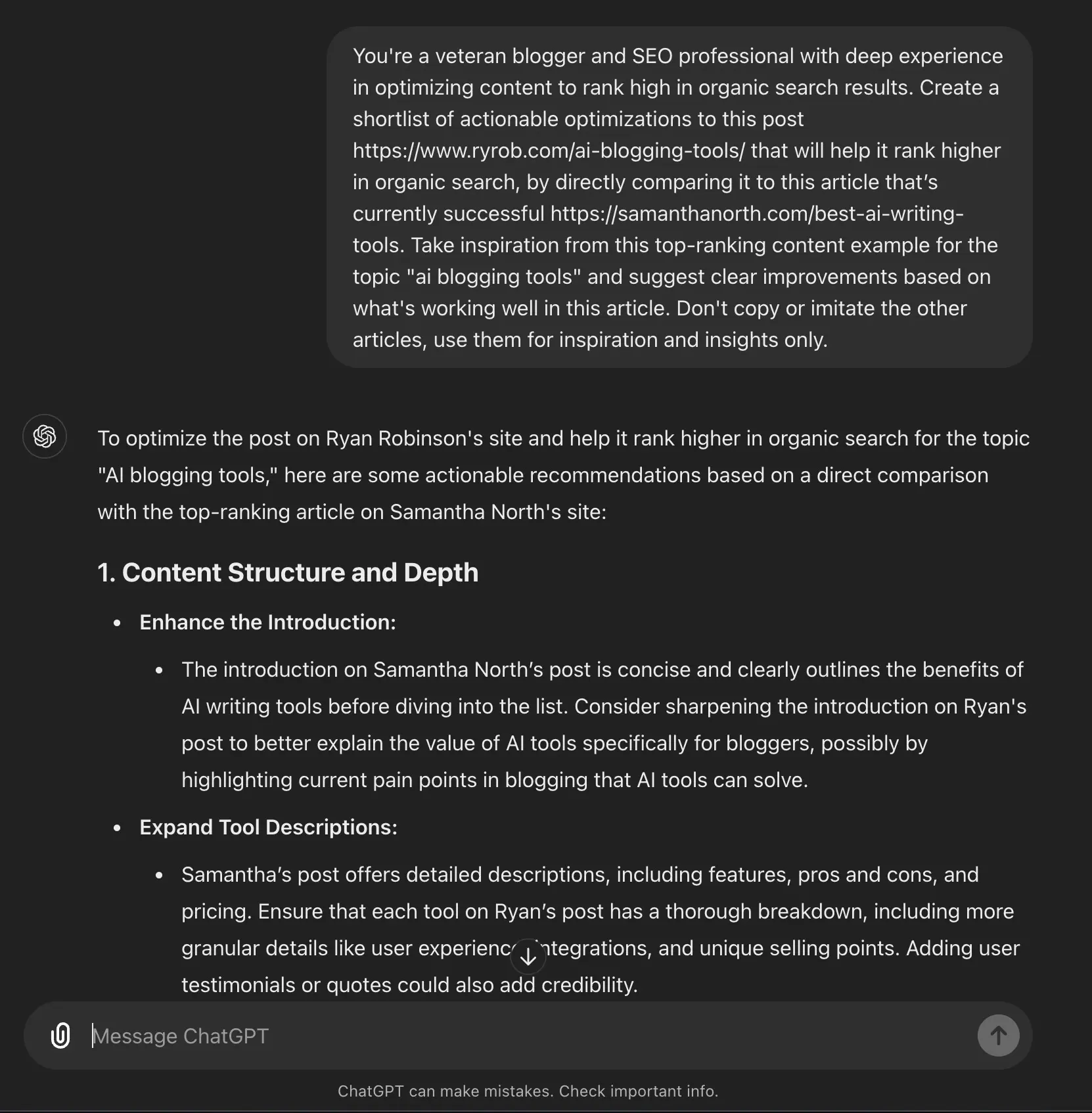
ChatGPT shortens the time it takes to create content briefs for SEO or content marketing projects.
- Build a content outline based on the keyword and the goals of the project.
- Suggest headings, a tone of voice for the article and a suitable length.
- Produce a first draft that the team can easily edit and put into production.
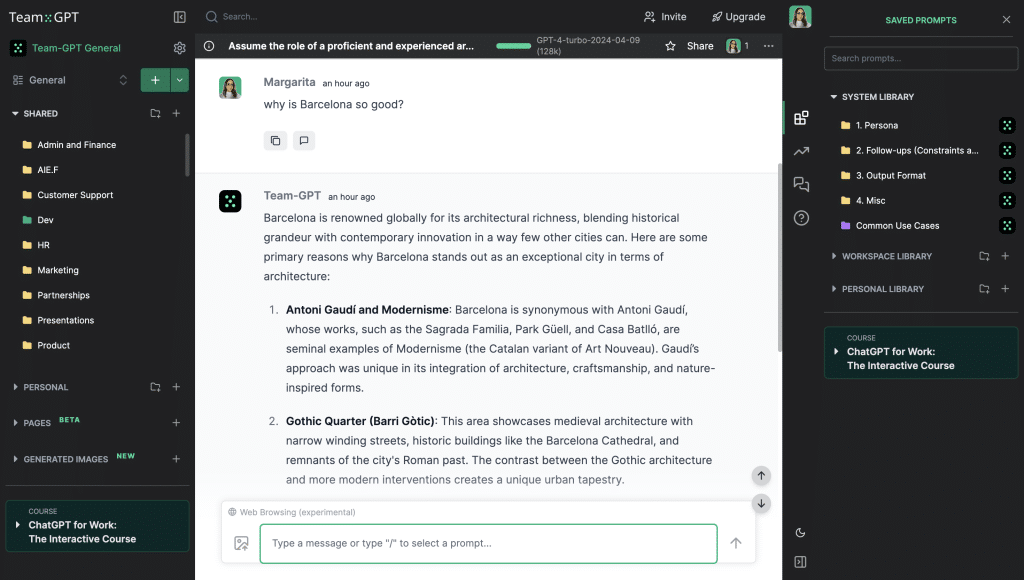
15. Building customer personas with ChatGPT
Knowing your users well matters in SEO and in content strategy. ChatGPT helps you pull research data together so you can build personas faster and with more depth.
- Create customer profiles based on demographics, behavior and pain points.
- Identify the communication style that suits each user group.
- Help steer your content direction and marketing strategy closer to your target customers.
16. Writing page titles with ChatGPT
ChatGPT can generate several versions of a page title so you can test which one does best for SEO and CTR.
- Create several title variations based on the keyword and search intent.
- Test short and long titles to find the version that performs better.
- Improve CTR and visibility on the SERP.
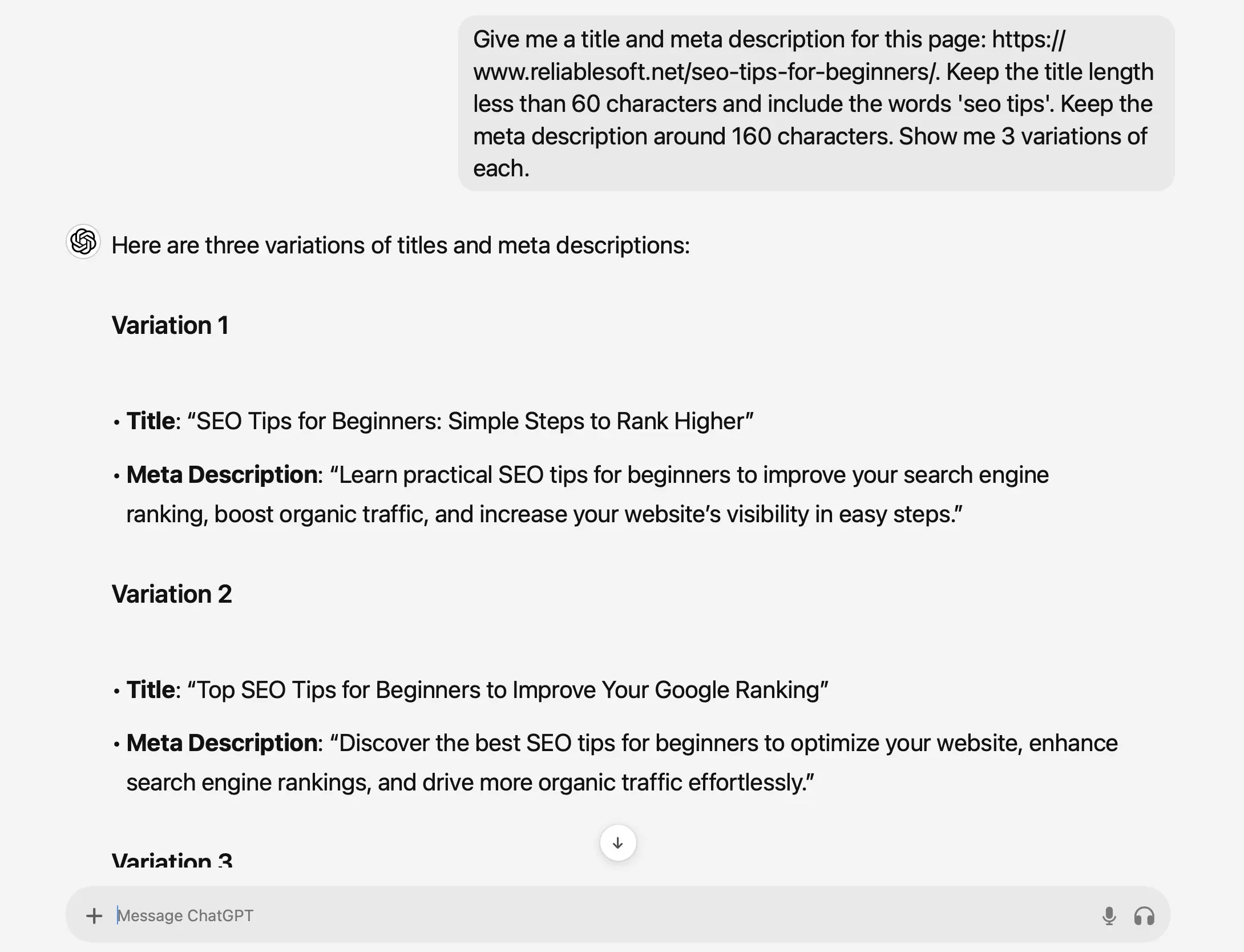
How to customize GPTs for SEO
17. Flesch Kincaid Genius: improving readability
This tool rewrites content to the reading level you want while keeping the main points intact.
- Adjust the readability score to suit each audience group.
- Make content easier to approach, especially on purely technical topics.

18. GPT Persona AI: creating reader personas with AI
GPT Persona AI helps you create customer personas and draw insight from your audience research data.
- Create detailed demographic profiles.
- Identify users’ motivations, needs and pain points.
- Help build a content strategy that is closer to your users.
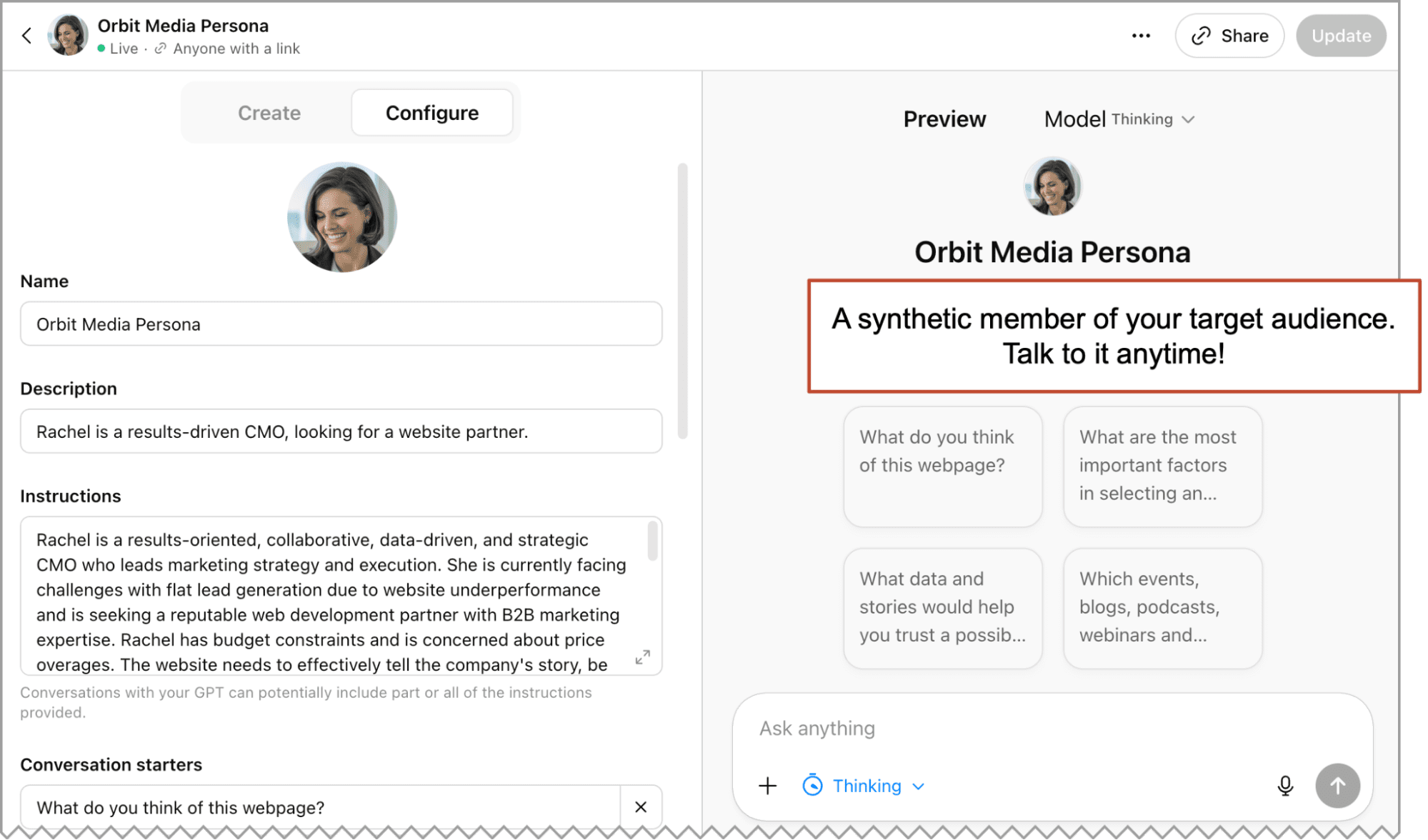
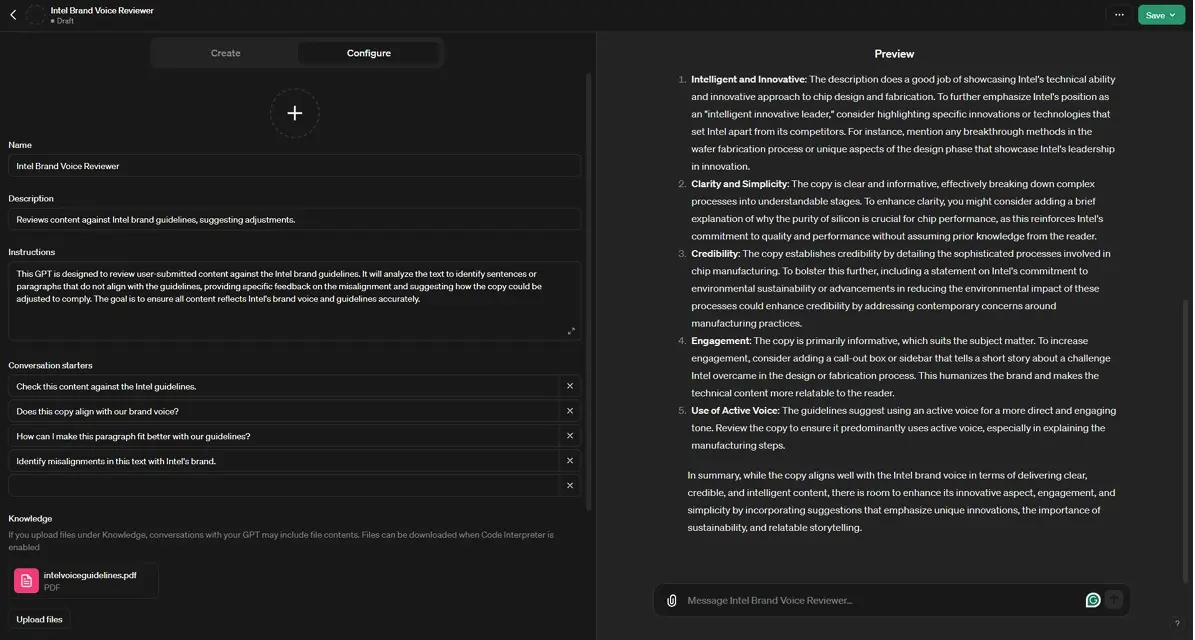
19. Brand Voice and Tone Review: keeping the brand voice consistent
This custom GPT checks whether a piece of content follows your brand voice and tone guidelines.
- Compare the content against your set of brand rules.
- Keep the voice consistent across multiple writers or across AI-generated content.
- Reduce tone drift during content production.
20. Schema Markup Generator: creating structured data automatically
Writing schema markup by hand makes unexpected errors more likely and takes quite a lot of time. This custom GPT automatically generates structured data for each type of page.
- Create schema based on the content type.
- Help search engines understand the content better.
- Increase the chances of showing rich results on the SERP.

AI tools for link building
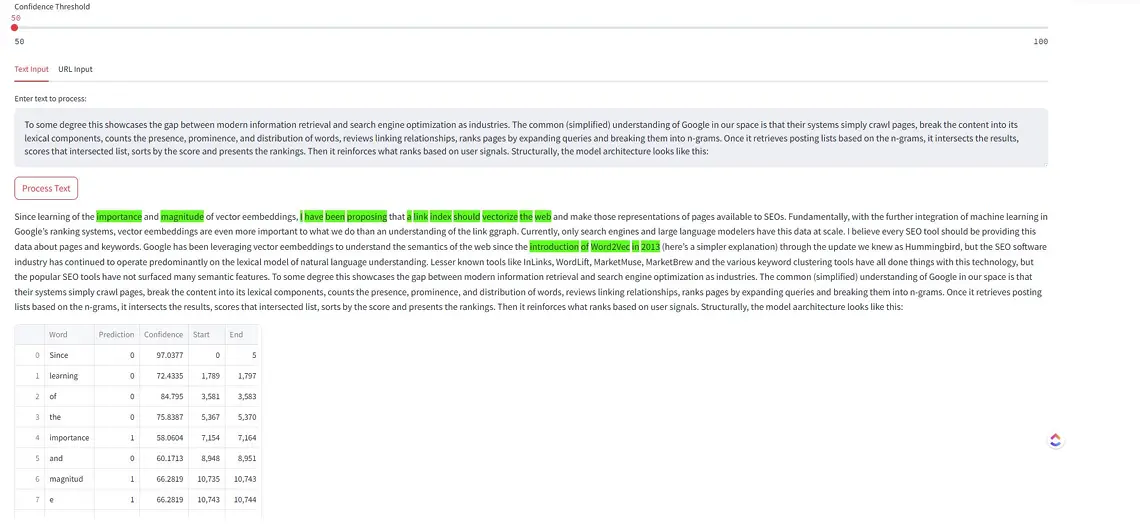
21. DejanSEO’s LinkBERT: predicting the right spots for internal links
LinkBERT uses AI to find the best places to put internal links within your content.
- Find internal linking opportunities automatically.
- Suggest links based on the context of the content.
- Make better use of link equity and strengthen the relevance between pages.
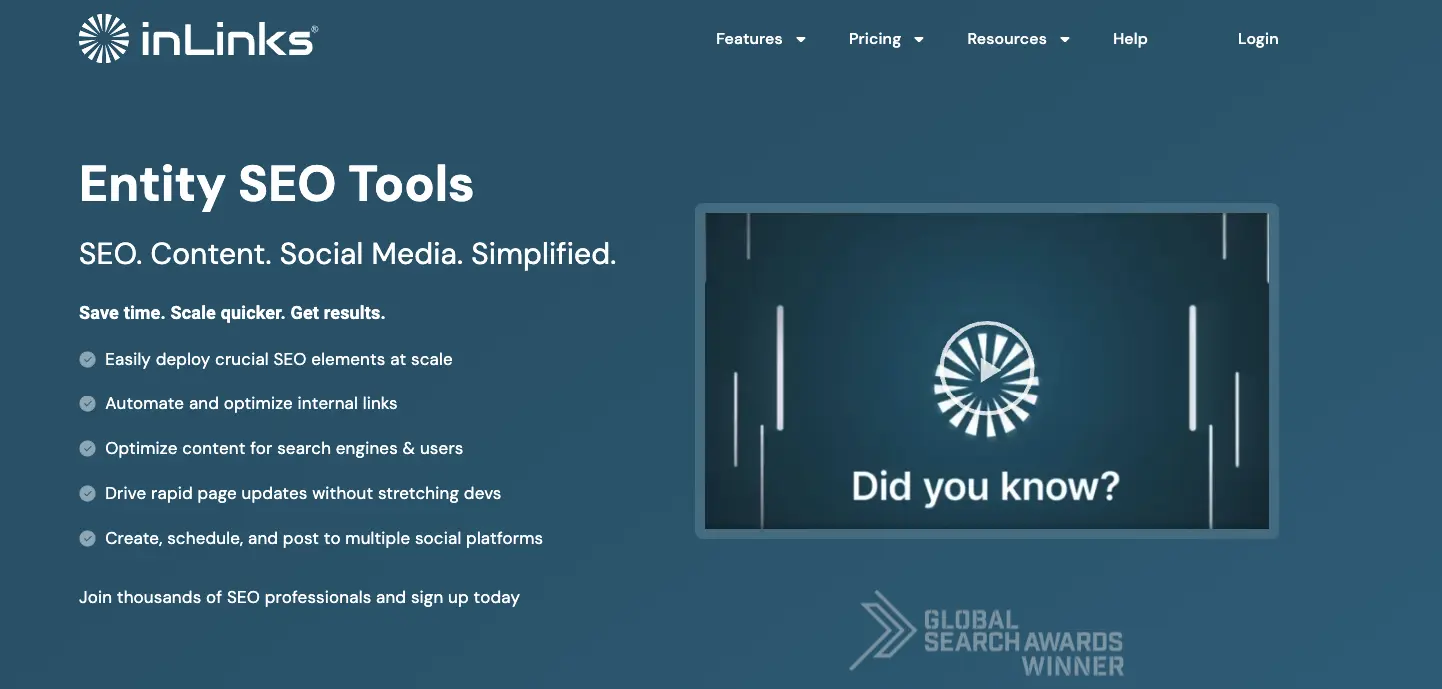
22. InLinks: automated internal link optimization
InLinks automates internal link management for large websites.
- Add internal links automatically based on relevance.
- Keep the internal link system up to date whenever new content is published.
- Prioritize sending links to your most important pages.
23. Link Whisper: an internal linking plugin for WordPress
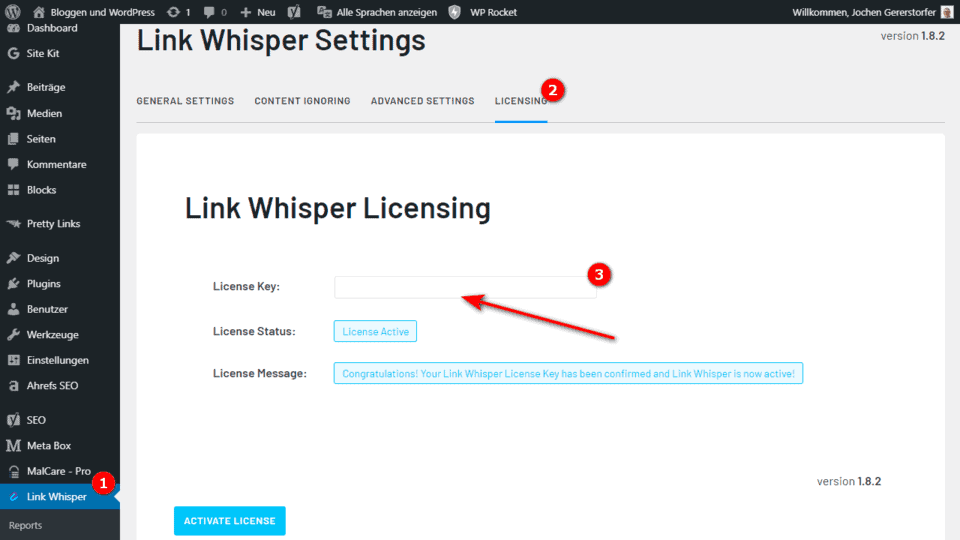
Link Whisper is an AI plugin that suggests and inserts internal links automatically on WordPress (and even on Shopify).
- Suggest internal links while you create or update content.
- Spread link equity more effectively.
- Manage internal links in bulk on large websites.
24. Respona: AI for link building through outreach
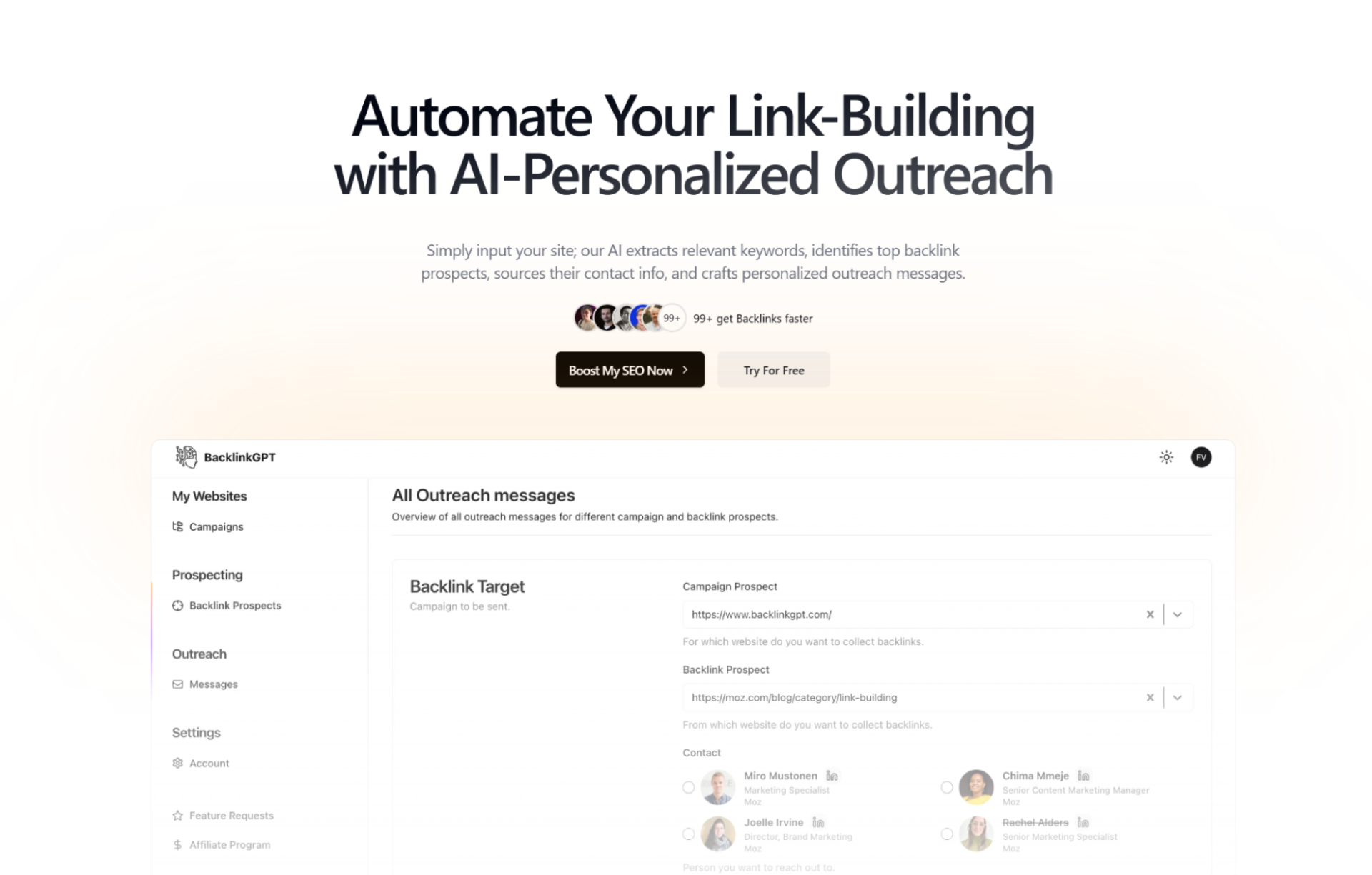
Respona uses AI to automate outreach and backlink placement.
- Find sites and content that are a good fit for link building.
- Personalize outreach emails with AI.
- Track outreach and automate the follow-up process closely.
- Connect with SEO tools such as Ahrefs, Semrush and Moz, with Google, Microsoft or IMAP/SMTP mailboxes, and with Zapier to manage outreach campaigns.
There are plenty of AI SEO tools out there, but not every one of them is worth adding. Rather than chasing the number of tools, prioritize the ones that automate real tasks, save time and raise your actual productivity. More importantly, treat AI as a tool that supports strategy, makes your process more efficient and improves productivity. It does not fully replace SEO thinking.
This article was compiled by Adtek with reference to the original content from Moz (2025), updated on October 19, 2026.


 Categories
  Recent Posts